
 to open the side menu.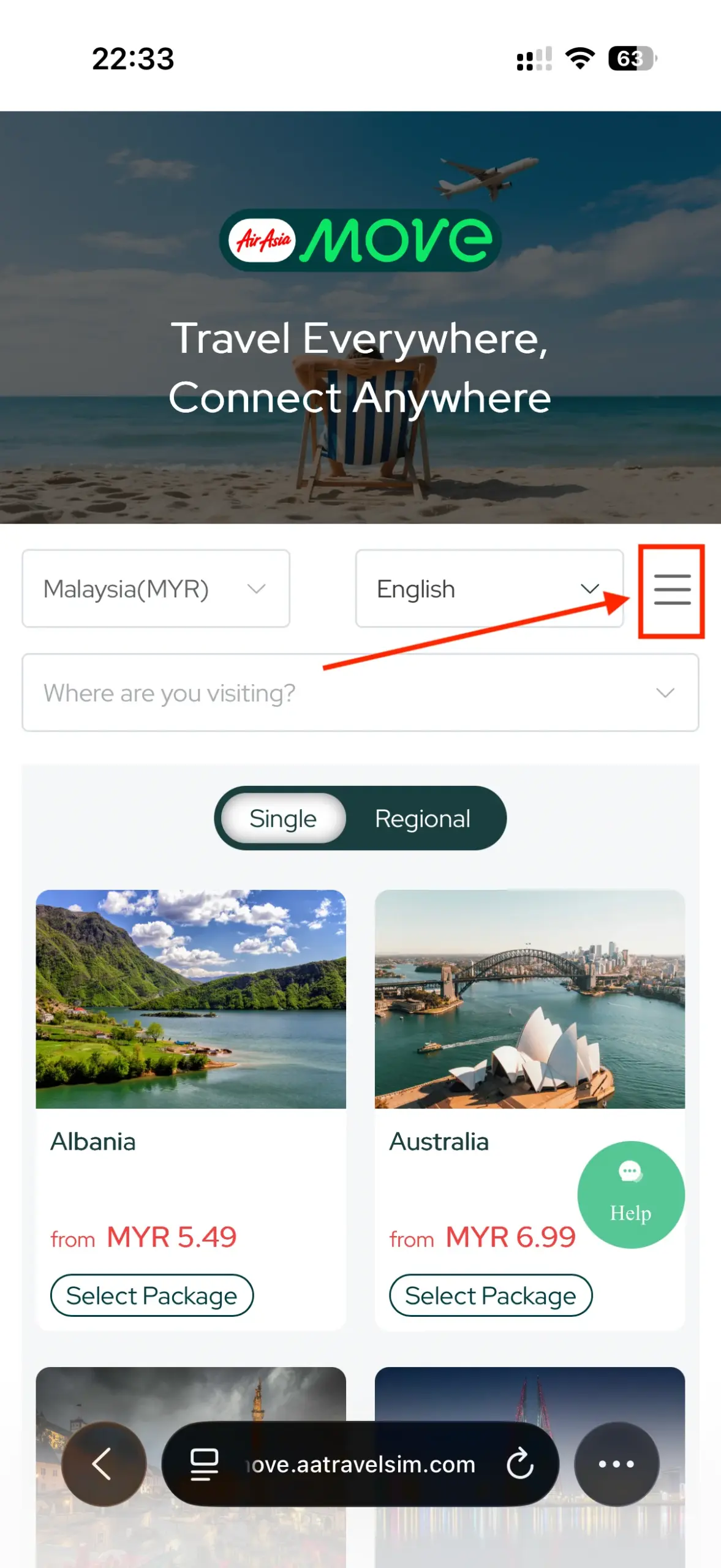
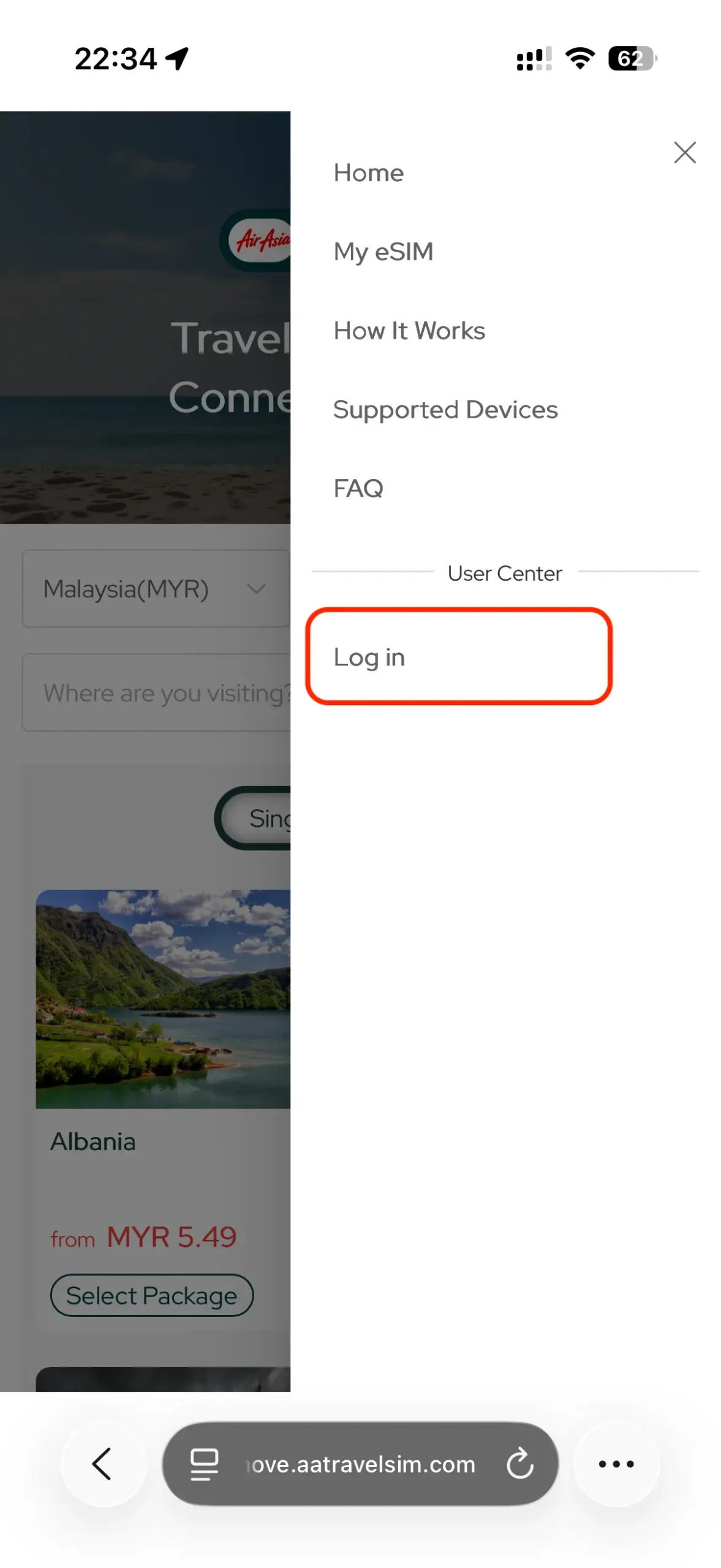
Tap on “Log In” to login to your account.
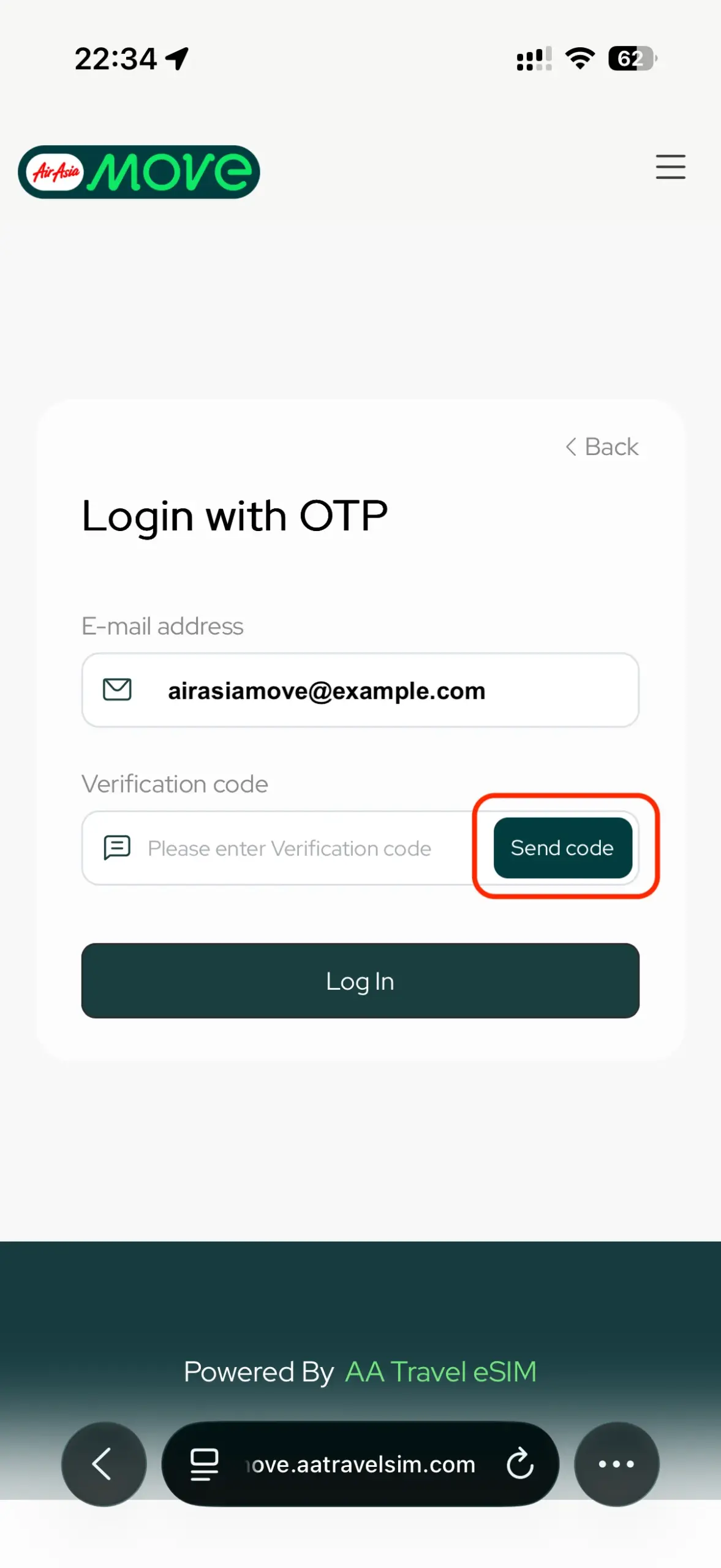
To log in, just fill in your email address and click “Send Code” to obtain the One Time Password (OTP).
Note: Please check your spam/junk box just in case the OTP email was flagged as junk mail.
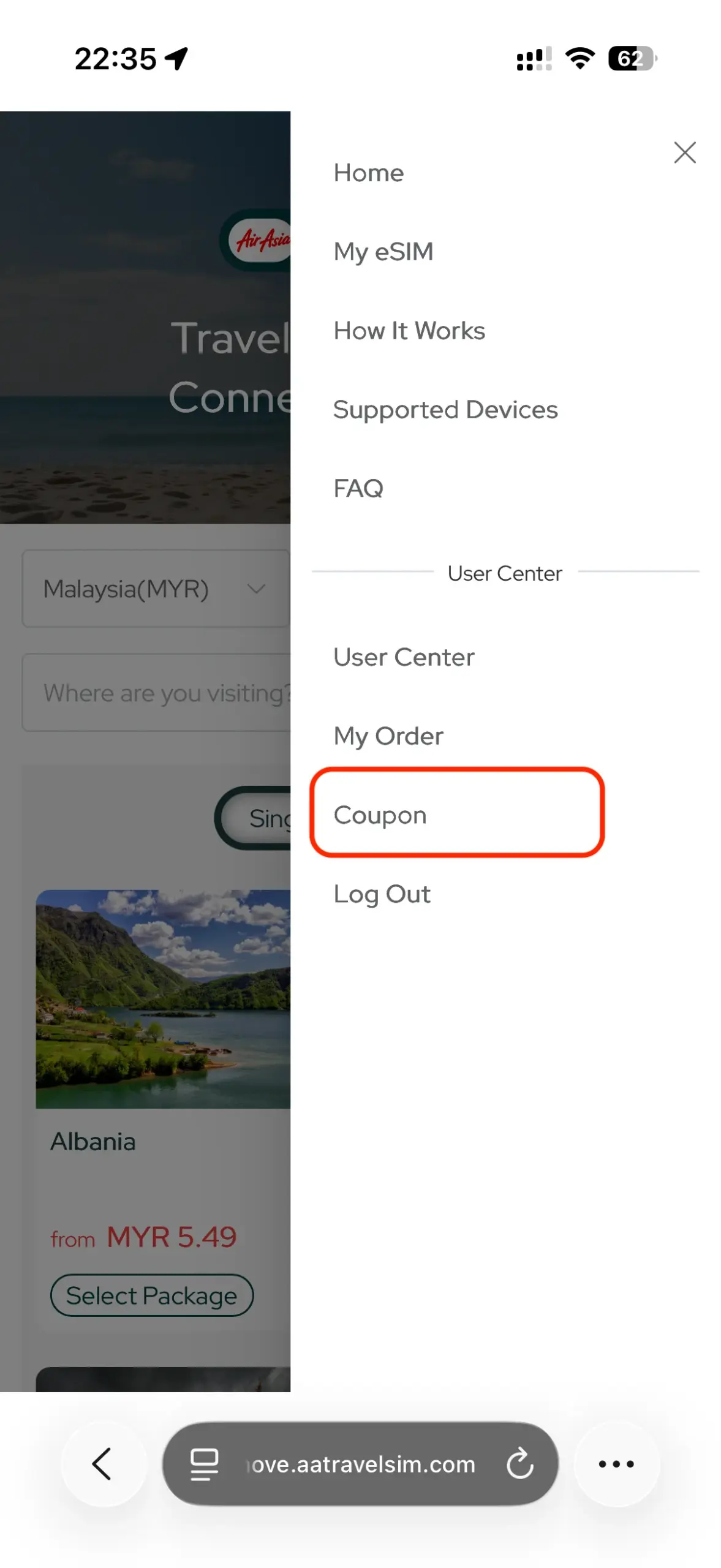
After logged in, go to the side menu and navigate to “Coupon” page. On the coupon page, click on the “Coupon Redemption” button. And enter the redemption code that you received from our partner.
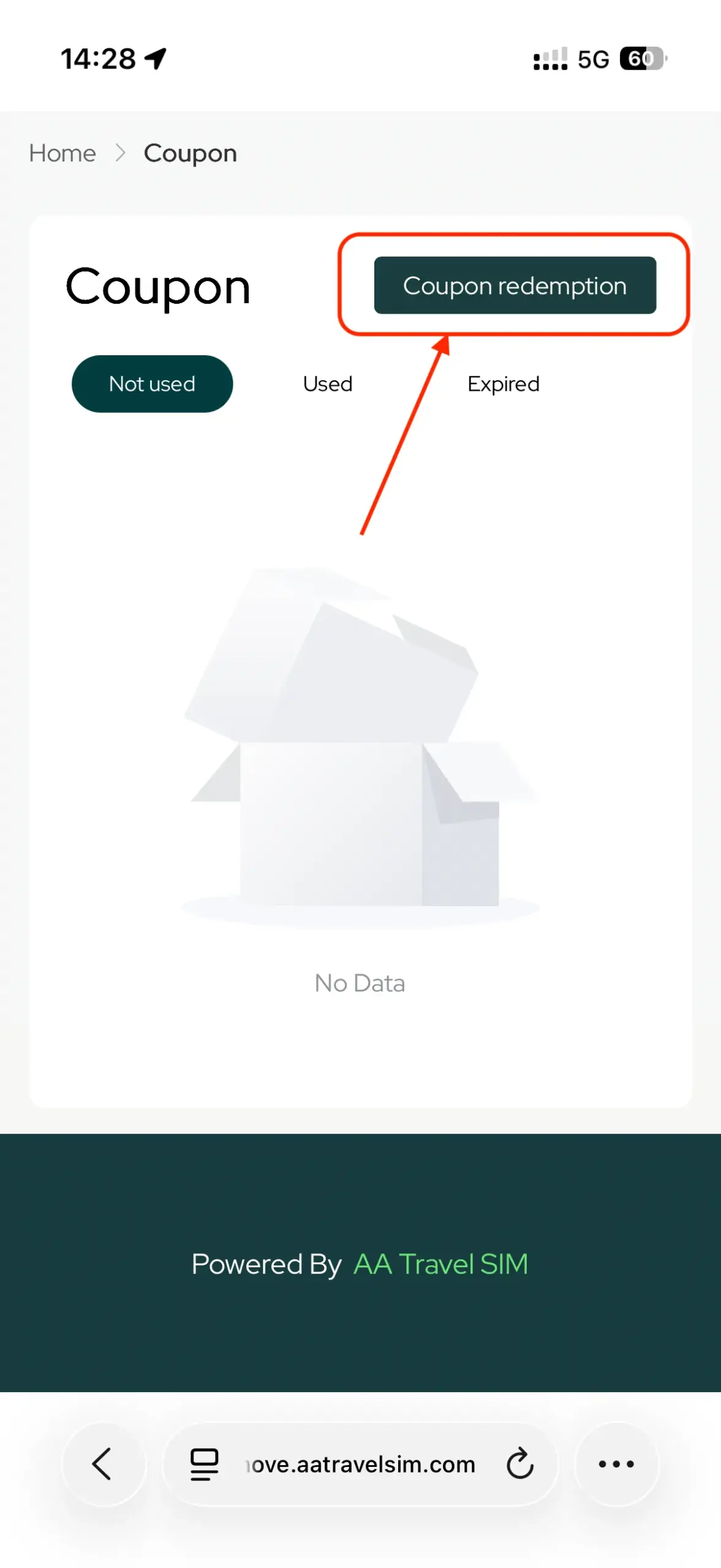
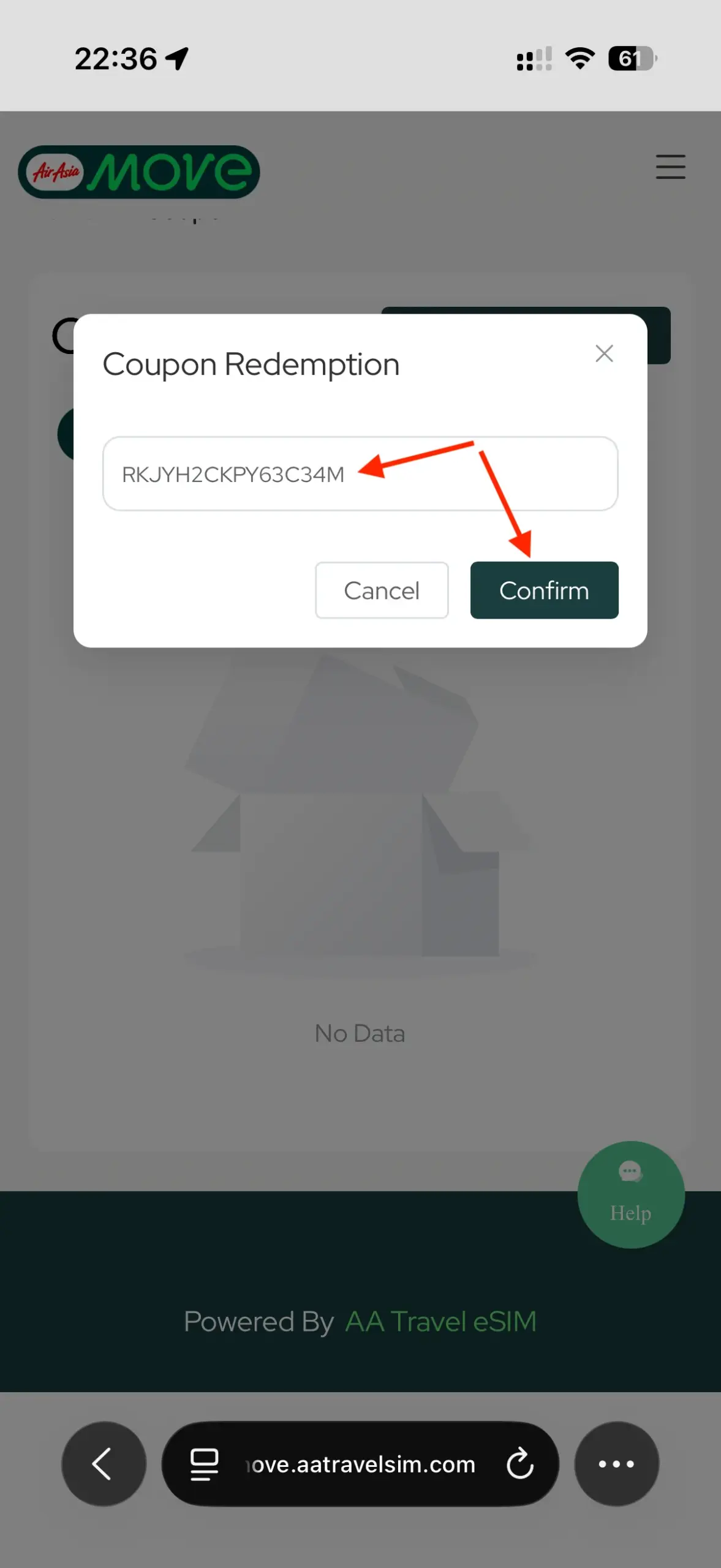
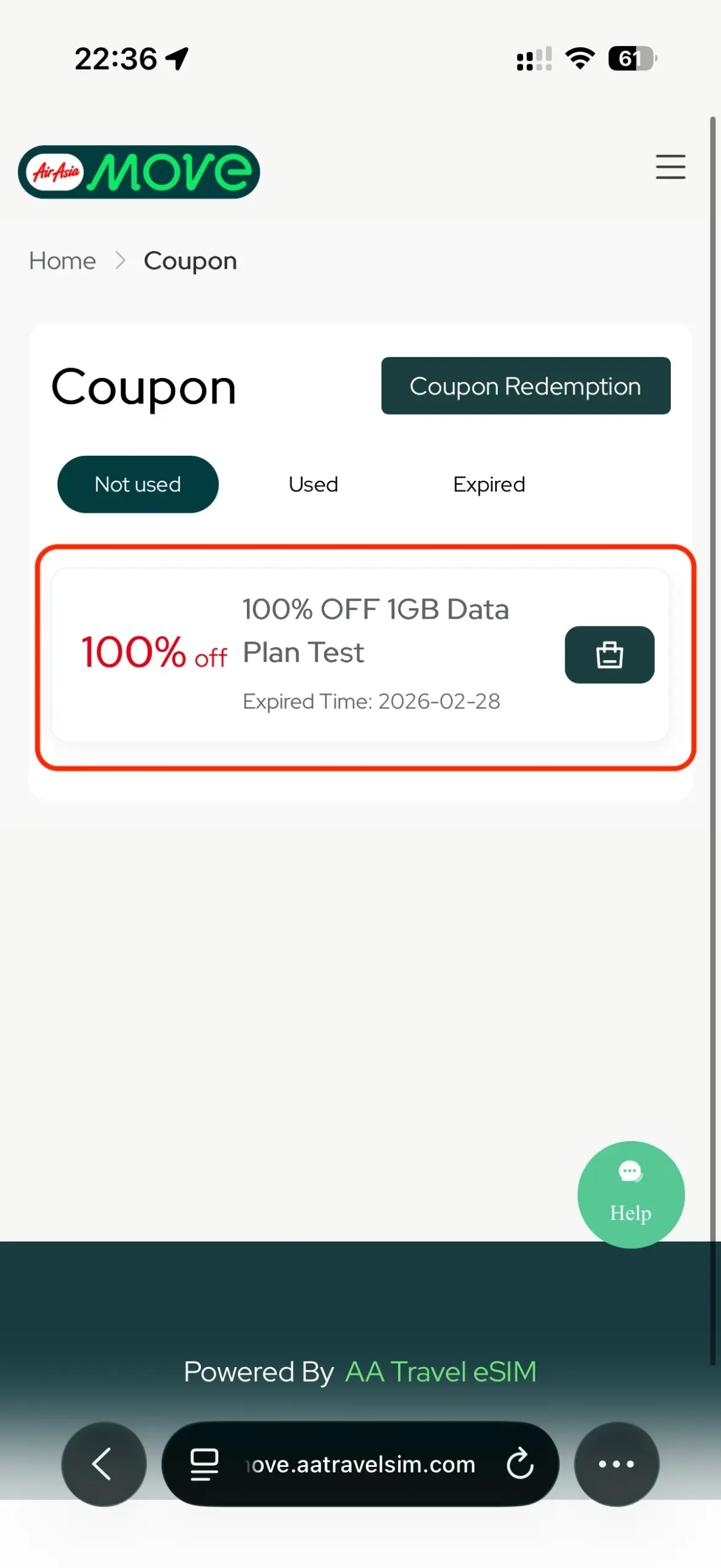
You have successfully redeemed the coupon. Now you can head over to select the country that you would like to redeem the eSIM for.
Please note that only selected countries can be redeemed using this coupon.
The free eSIM can be redeemed for the following countries:
- Japan
- Thailand
- Korea
- China
- Vietnam
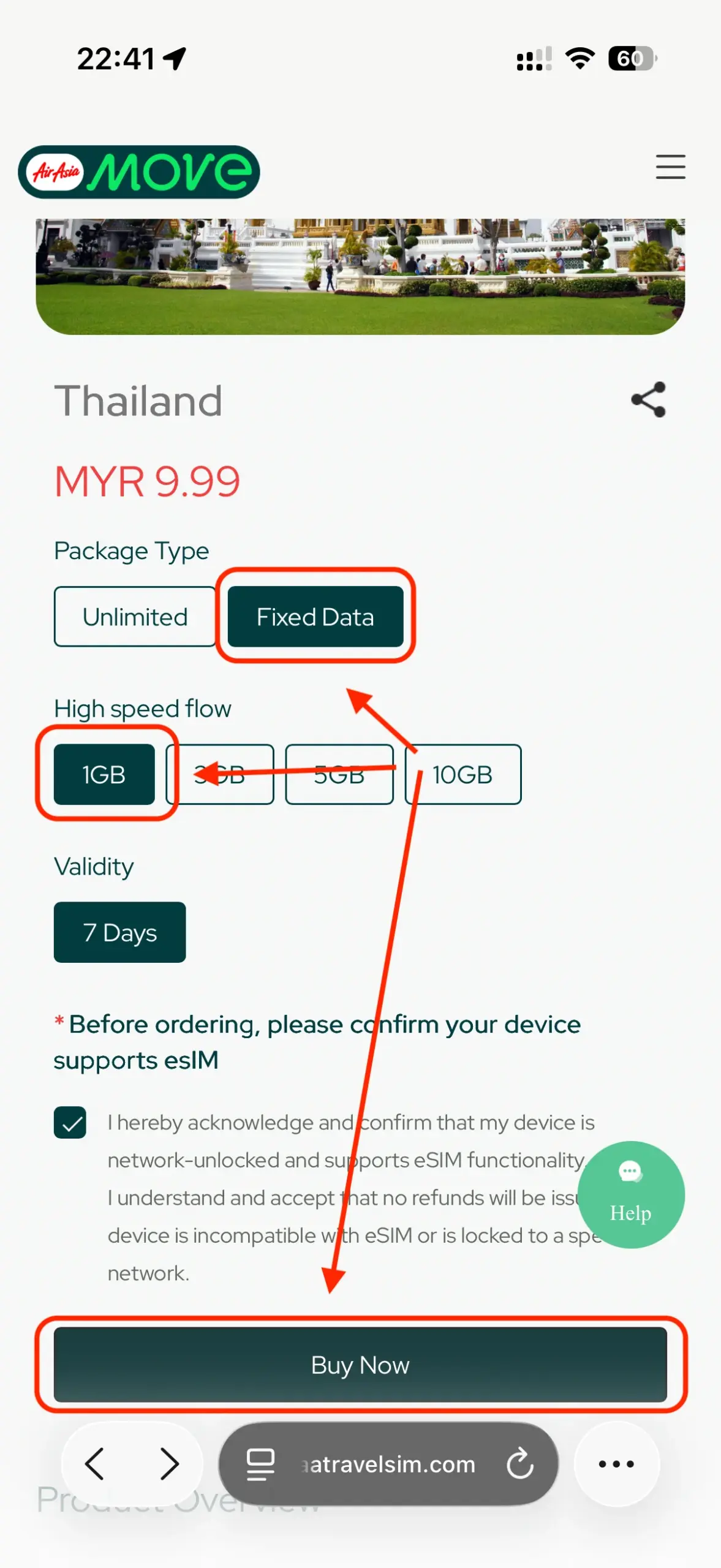
Select the eSIM of the country that you would like to redeem. In this example, Thailand is selected.
Note: Your coupon only allow you to redeem for “Fixed Data”, “1GB” and “7 Days” of validity as shown in the example below, please make sure you have selected the correct variation.
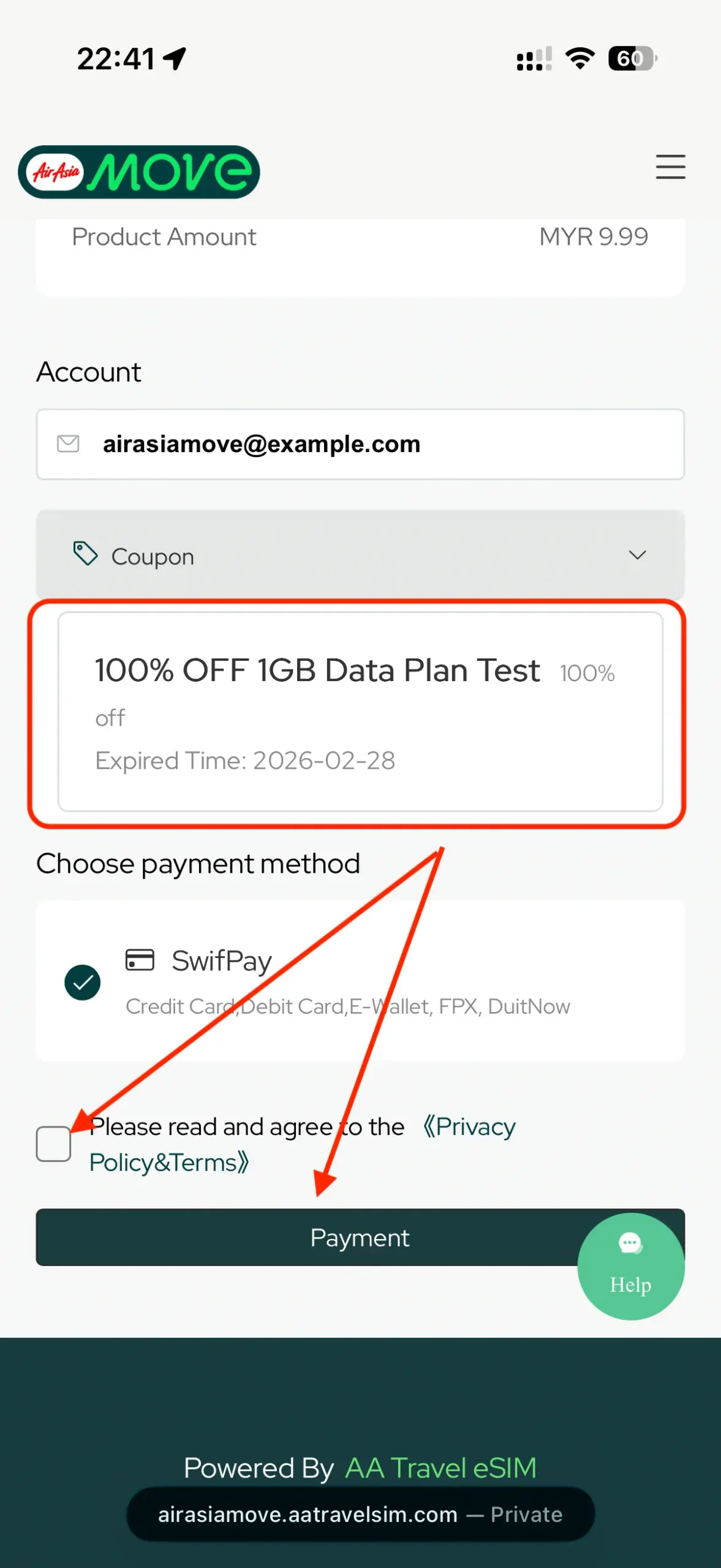
On the checkout page, select the coupon that you have just redeemed. Accept the terms and conditions, click “Payment”. By doing this, you are not required to make any payment.
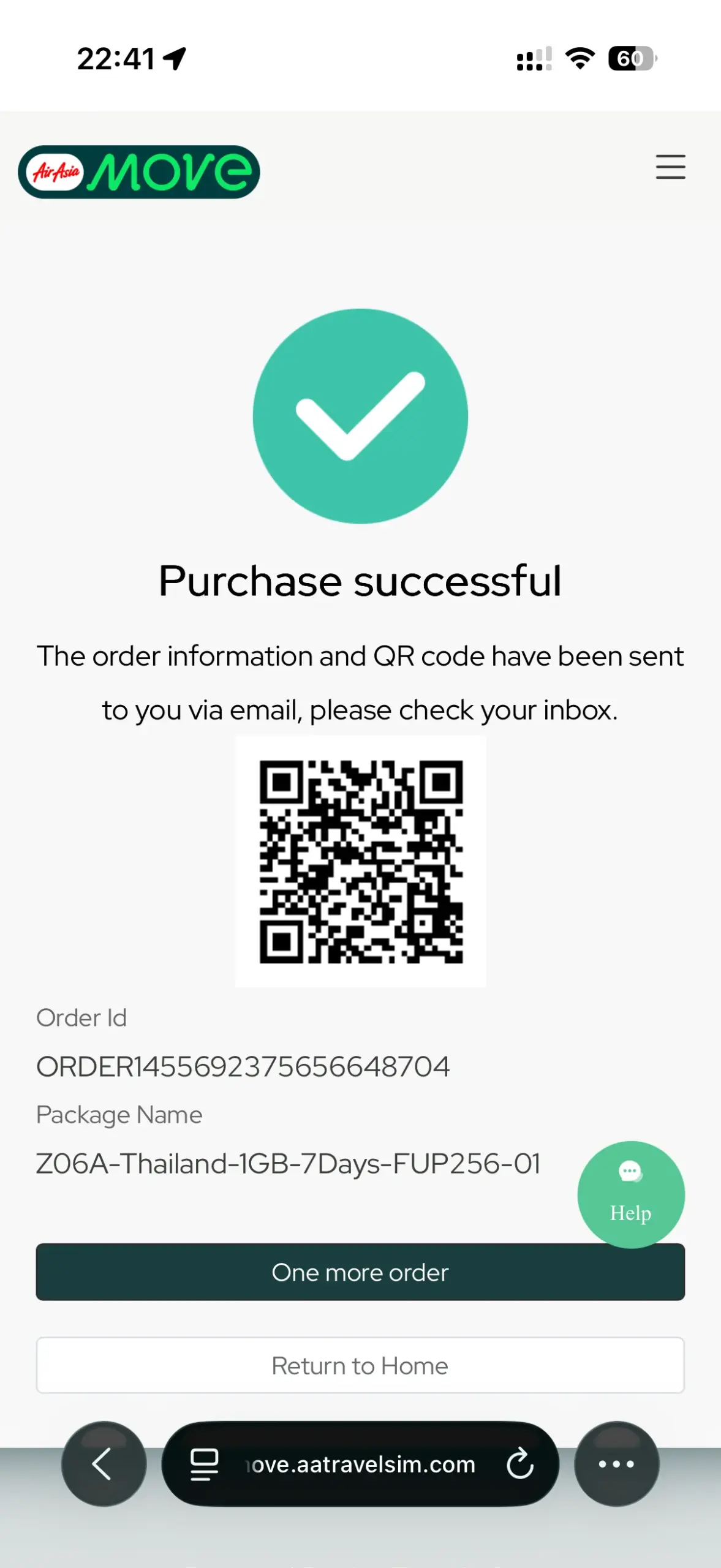
Congratulation! You have successfully redeemed your free eSIM of your selected country!
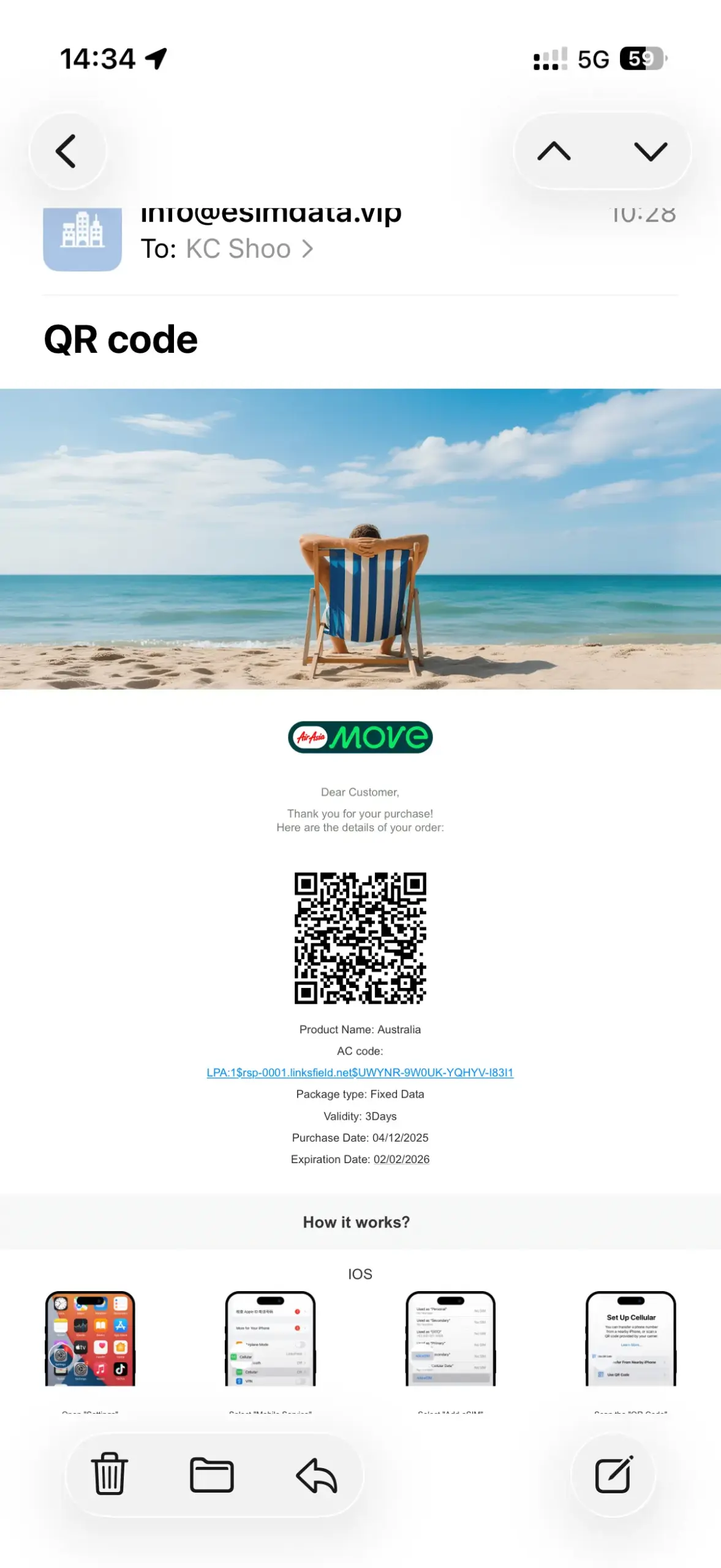
The QR code will be presented to you. The same QR code will also be sent to your mailbox for another copy (please check your junk box if you did not receive the email after 10 minutes).
Scan the QR code to install the eSIM.
We recommend you to install the eSIM after you have arrived at the destination airport. When installing the eSIM, please make sure you have a stable internet connection by connecting to the airport wifi for instance.
Comments
0 comments
Please sign in to leave a comment.